
Getting RBAC right is a make‑or‑break issue for any SaaS that serves many customers from the same code base. If a user from one tenant can peek at another tenant’s data, the whole business is at risk. In this guide we walk through every piece you need to lock down access, from defining tenants to auditing every role change.
By the end you’ll have a clear roadmap to build a secure, scalable RBAC system that works for your multi‑tenant product.
Step 1: Define Tenant and Role Hierarchy
First, map out who your tenants are and how roles sit inside each tenant. Think of a tenant as a company that signs up for your platform. Within that company you might have admins, managers, and regular users. Each of those roles gets a different set of permissions.
Write down the hierarchy on a whiteboard or in a simple spreadsheet. List every role you expect to see, then note which roles inherit from which. For example, anAdmincan do everything aManagercan, plus extra tasks like adding new users.
Why keep the hierarchy flat? A flat tree is easier to audit and reduces the chance of permission creep. When you add a new role later, you only need to slot it into the existing tree.
Here’s a quick template you can copy:
- Tenant
- └─ Admin
- └─ Manager
- └─ Employee
Make sure every role maps to a real job function in your customers’ org charts. If a role doesn’t match a real job, you’ll end up granting more rights than needed.
tenantId:roleName(e.g.,123:admin) so you can always tell which tenant a role belongs to.Once the hierarchy is set, you can store it in a database table calledroleswith columns forrole_id,parent_role_id, anddescription. That makes it easy to query a role’s inherited permissions later.
Donely’s own dashboard lets you spin up separate tenant instances and assign per‑hub roles, which is a good reference for how a real product does this at scale.
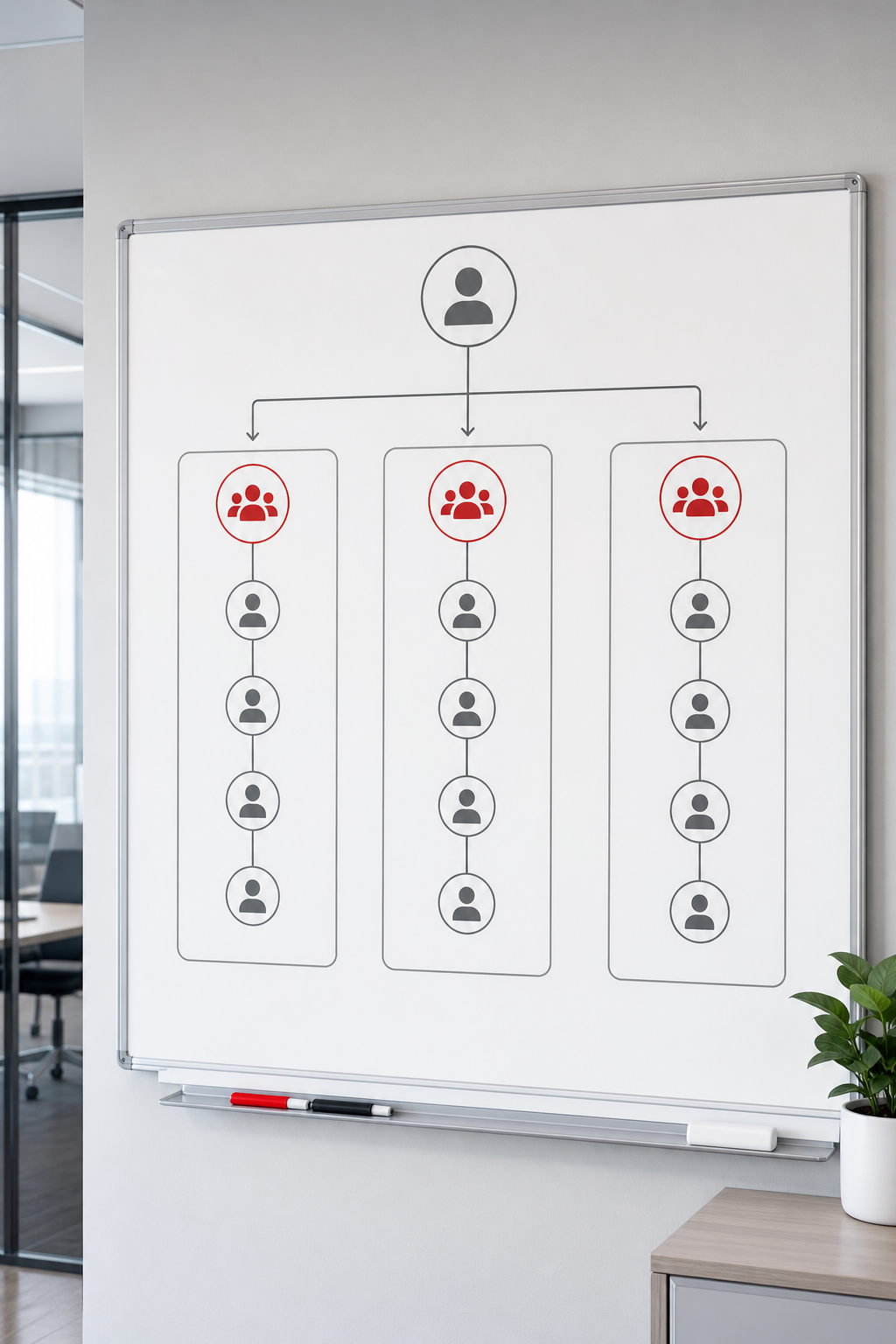
When you’re done, you should be able to answer three questions instantly: Who belongs to which tenant? What role does each user have? Which roles inherit from which others?
Step 2: Design Permission Model (Actions and Resources)
Next, decide what actions each role can perform on which resources. An action is a verb likeread,write, ordelete. A resource is the thing being acted on, such as aprojectorinvoicerecord.
Azure’s official RBAC guide explains that a role definition is a collection of permissions, and each permission lists allowed actions and the scope they apply to. The model is additive, so a user gets the union of all permissions from every role they hold. Microsoft Azure RBAC overview
AWS’s multi‑tenant guidance adds the idea of a per‑tenant policy store, which lets you keep each tenant’s rules separate and prevents cross‑tenant leaks.AWS multi‑tenant policy example
Start by listing every resource type your SaaS exposes via APIs. Then, for each role, write down the exact actions it needs. Avoid broad verbs like “manage everything”. Instead, be specific:read:invoice,update:customer,delete:session.
Store these rules in apermissionstable with columns forrole_id,action,resource_type, andscope. Thescopecolumn holds the tenant ID so the same permission can apply to many tenants without duplication.
When you query a user’s effective permissions, pull all rows whererole_idmatches any of the user’s assigned roles andscopematches the current tenant. Then combine the actions into a set.
Remember to review the matrix with a real customer early on. Ask them to walk through a typical workflow and point out any missing or extra actions.
Step 3: Implement Authentication and Tenant Context
Authentication proves who a user is. Once you know the user, you need to know which tenant they belong to. The common pattern is to embed the tenant ID in the user’s JWT token after they log in.
When a user signs in, your auth server looks up the user’s tenant and role, then issues a token that contains claims likesub(user ID),tid(tenant ID), androles(a list of role IDs). Your API layer reads those claims on every request.
Here’s a tiny code sketch (in any language) that extracts the tenant ID:
const token = getAuthHeader();
const payload = decodeJwt(token);
const tenantId = payload.tid;
const userRoles = payload.roles;
After you have the tenant ID, you can pass it to the permission check routine you built in Step 2. That way the same permission row works for every tenant because thescopefilter matches the token’stid.
Don’t forget to rotate signing keys regularly and store them in a secrets manager. If a key leaks, an attacker could forge tokens for any tenant.
We also recommend adding a short‑lived token (10‑15 minutes) and a refresh token flow. That limits the window an attacker has if they steal a token.
Step 4: Enforce Authorization Middleware
Now that you can read a user’s roles and tenant, you need a piece of code that sits in front of every API endpoint and decides if the request is allowed. This is the authorization middleware.
AWS’s guide recommends a Policy Decision Point (PDP) that evaluates policies written in a declarative language. You can build a simple PDP yourself or use a managed service like Amazon Verified Permissions. The key is to keep the decision logic out of individual endpoint handlers so you don’t accidentally diverge.
In practice, the middleware does three things:
Here’s a pseudo‑code example:
function authorize(req, res, next) { const { tid, roles } = decodeJwt(req.headers.authorization); const { action, resource } = req.body; const allowed = checkPermissions(roles, action, resource, tid); if (allowed) { next(); } else { res.status(403).send('Forbidden'); }
}
Because the middleware runs for every request, you get a single place to add logging, rate‑limiting, or extra checks like IP whitelisting.
Wikipedia gives a concise definition of RBAC that you can cite for readers who need a quick reference. Wikipedia , Role‑based access control
When you add the middleware, test it with a script that tries every combination of role, tenant, and action. Any accidental allowance will show up in the test log.
Step 5: Manage and Audit RBAC with Admin Panel
Even the best code needs a UI for admins to assign roles, add new tenants, and review audit logs. Build a simple admin console that shows a list of tenants, each with a button to manage its users and roles.
In the UI, let an admin pick a user, then check or uncheck boxes for each role. When they save, call an API that updates theuser_rolestable. Keep the UI read‑only for non‑admin users.
Audit logs are essential for compliance. Every time a role assignment changes, write an immutable entry that includes who made the change, when, and what the old and new values were. Donely’s audit‑log feature does exactly this, and you can follow a similar pattern.
For extra safety, add a “soft delete” flag on users so you can deactivate accounts without losing history.
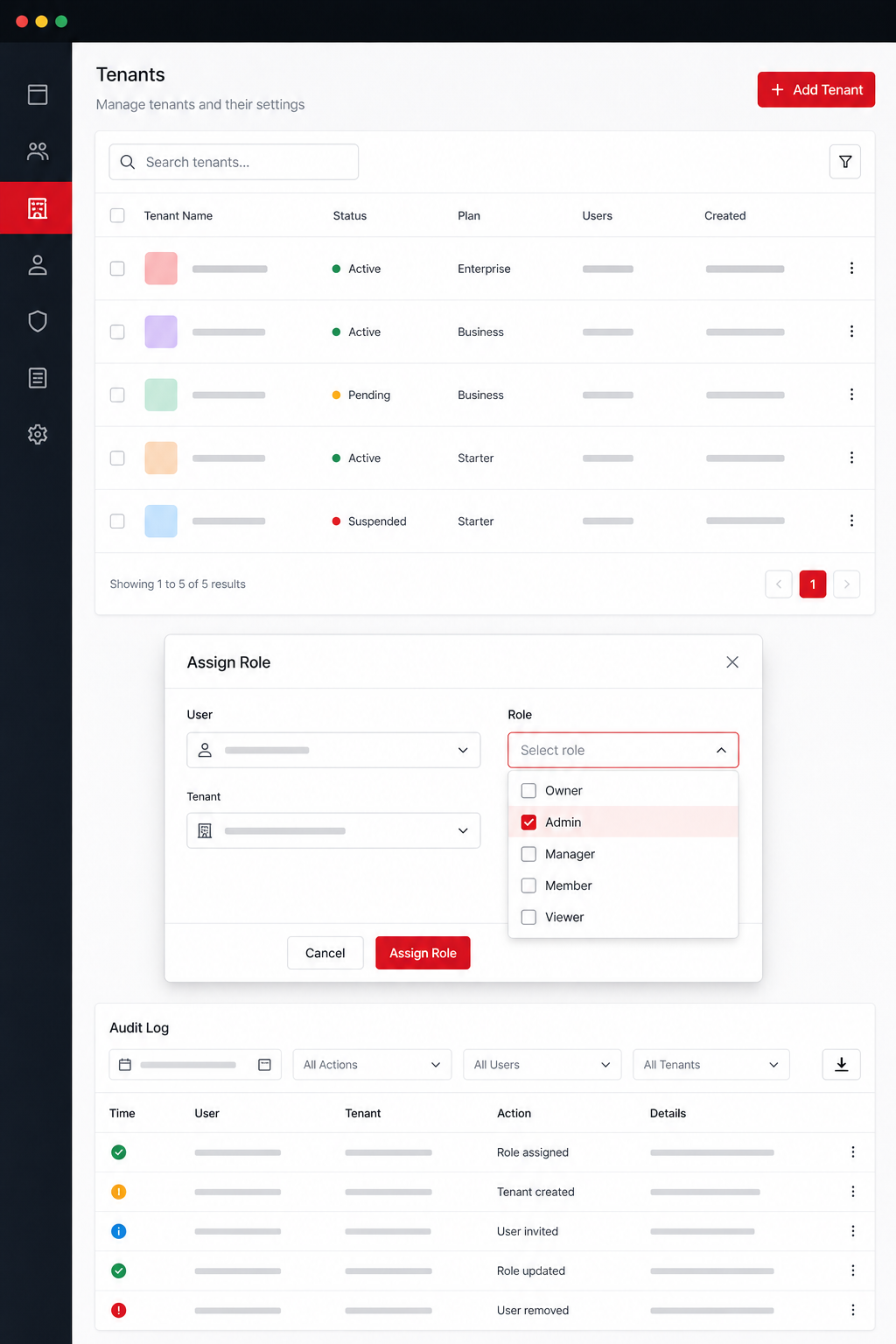
When an admin views the audit log, let them filter by tenant, user, or date range. That makes investigations quick.
Finally, schedule a regular review (monthly or quarterly) where you compare the current permission matrix against actual usage data. Remove any roles that haven’t been used in the last 90 days to keep the surface area small.
FAQ
What is the difference between RBAC and ABAC?
RBAC assigns permissions to roles, then users inherit those roles. ABAC (attribute‑based access control) evaluates policies based on user attributes, resource attributes, and environmental factors. RBAC is simpler to audit, while ABAC can express more complex conditions. For most SaaS apps, start with RBAC and add ABAC only if you need dynamic rules like time‑of‑day restrictions.
How do I ensure tenant isolation at the database level?
Use a tenant identifier column on every table that stores customer data. Add a database‑level row‑level security policy that forces every query to includeWHERE tenant_id = :currentTenant. Many cloud databases, such as PostgreSQL, support built‑in row‑level security that you can enable once per tenant.
Can I reuse the same role definitions across tenants?
Yes. Define a global set of role templates (Admin, Manager, User) and then instantiate them per tenant. Store the template ID so you can update the definition in one place and have the change roll out to all tenants that use that template.
What should I log for compliance?
Log every role assignment change, every successful and failed authentication event, and every authorization decision that denies access. Include timestamp, actor ID, tenant ID, and the resource that was accessed. Keep logs immutable for the period required by regulations such as GDPR or SOC 2.
How do I handle temporary improved privileges?
Create a “privileged” role that can be assigned for a short window. When a user needs extra rights, grant the role with an expiration timestamp. Your middleware should check the current time against the expiration and automatically revoke the role when the window closes.
Is it safe to store JWT secrets in code?
No. Store signing keys in a secrets manager or hardware security module. Rotate them regularly and limit access to the service that issues tokens. If a key is compromised, you can revoke it without affecting other tenants.
What tools can help me manage secrets for RBAC?
Secret‑management platforms let you store API keys, database passwords, and JWT signing keys securely. They also provide audit trails for who accessed each secret. A good example is the list of Best Secrets Management Tools for 2026, which covers options that integrate with cloud providers.
Conclusion
Setting up role‑based access control for a multi‑tenant SaaS app is a series of deliberate steps: define a clear tenant‑role hierarchy, build a fine‑grained permission matrix, tie authentication to tenant context, enforce decisions with centralized middleware, and give admins a safe UI plus immutable audit logs. Follow the pattern above and you’ll reduce the risk of data leaks, simplify compliance, and give your customers confidence that only the right people see the right data.
If you want to see a real‑world example of how a platform handles multi‑tenant isolation, on Best Multi‑Tenant SaaS Platforms for Client Instances (2026). It shows the same principles in action and explains how Donely’s built‑in audit logs complement RBAC.
- Extract the tenant ID and role list from the JWT.
- Look up the permission matrix for the requested
actionandresource. - Allow the request if the action is in the user’s permission set; otherwise return a 403.